
Capture
Upload a single card, binder page, table spread, or trade stack.
Features
PokeChex turns a single photo into a card-by-card read: identify, inspect the visual match, check raw value context, and ask a follow-up — without switching apps.
The product loop
Every scan follows the same four steps, whether it is one card or a full binder page. The evidence stays visible the whole way through.
Upload a single card, binder page, table spread, or trade stack.
PokeChex segments the image so each card can be reviewed on its own.
Visual matches stay visible, giving you a way to check the result.
Use raw value context, reports, and follow-up questions to move faster.
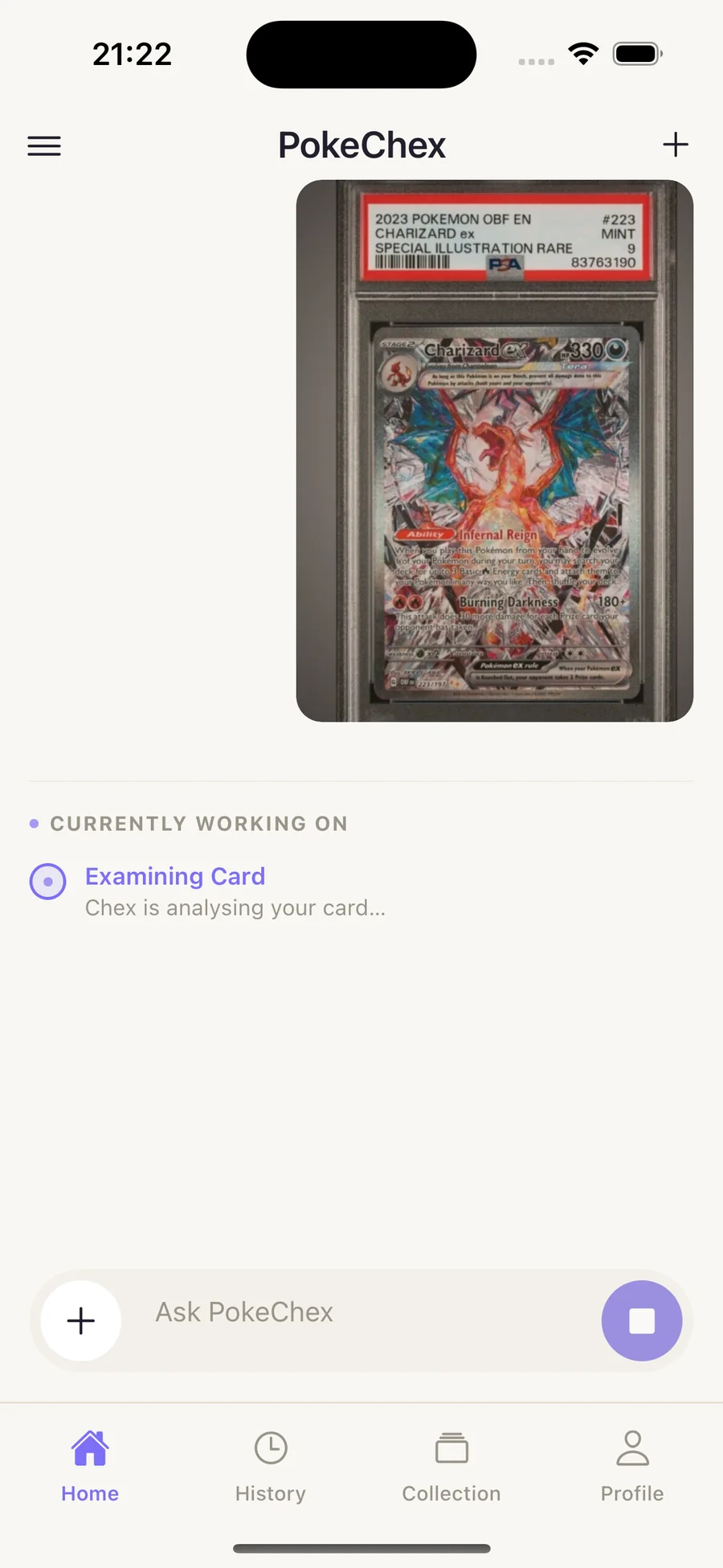
Quick Scan
Use PokeChex for a single card price check or a quick read on a pickup before you commit.
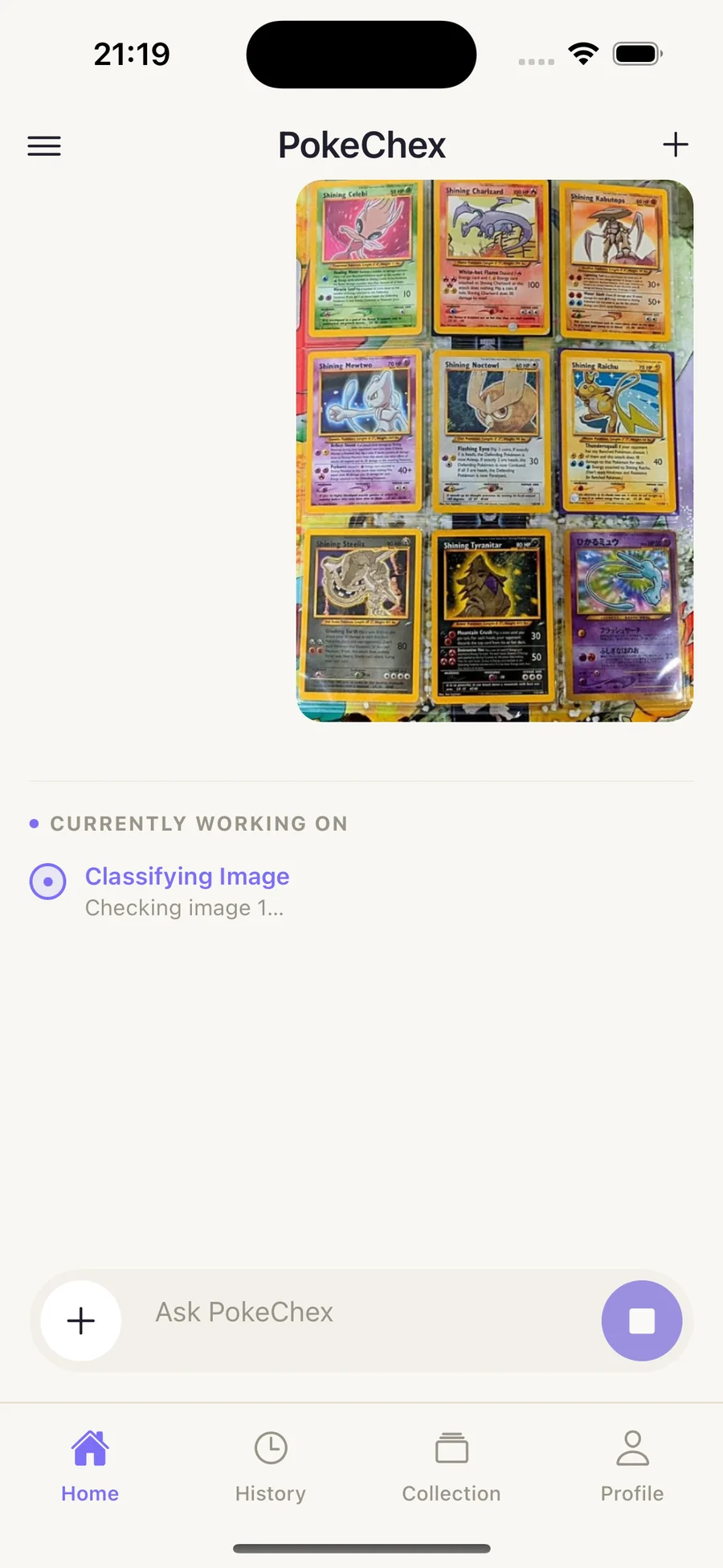
Multi-card segmentation
Binder pages and trade piles are handled as a batch, with each card kept traceable back to the original upload.
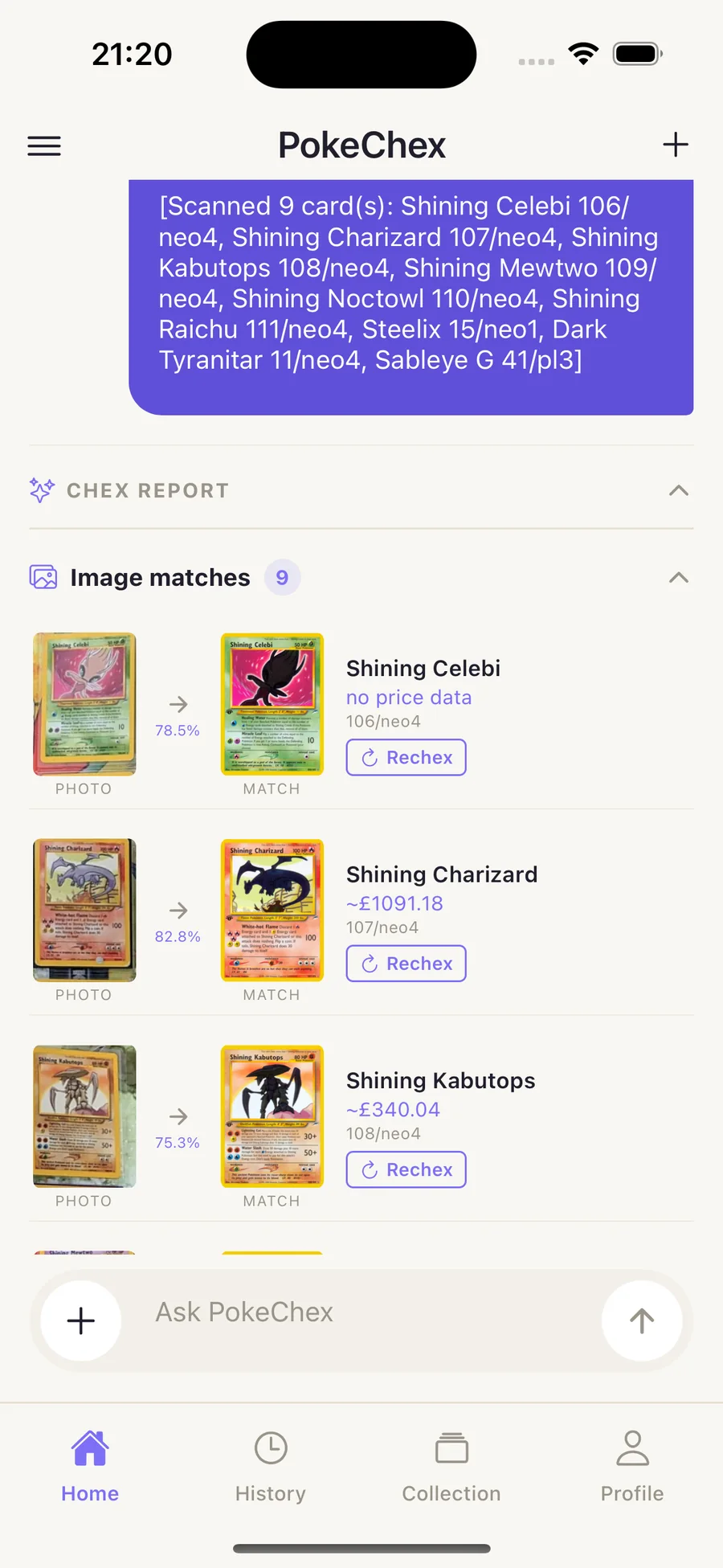
Image matches
PokeChex does not hide the matching step. You can inspect the visual match list before you lean on the report.
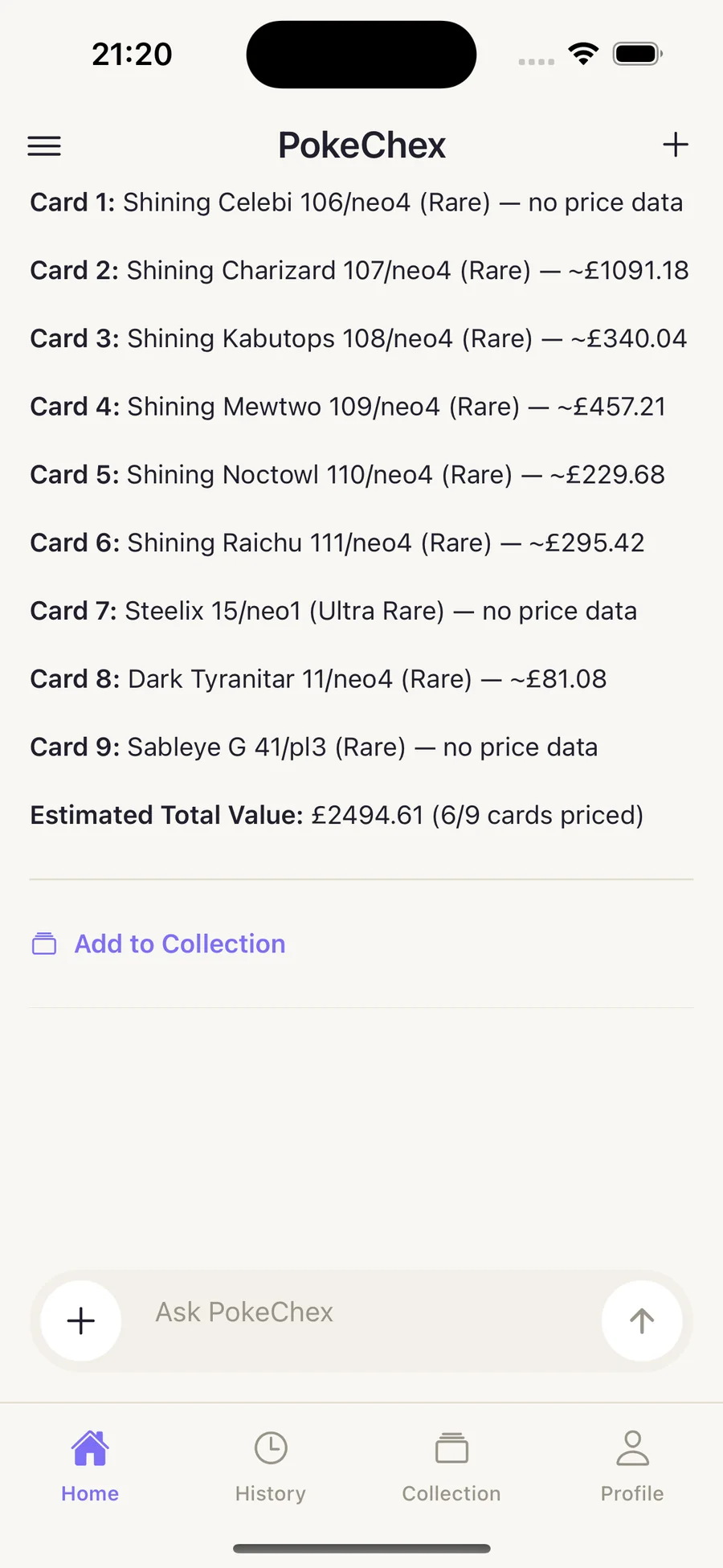
Chex Report
Reports keep identification, estimate context, and totals together so you can make the next decision without leaving the thread.
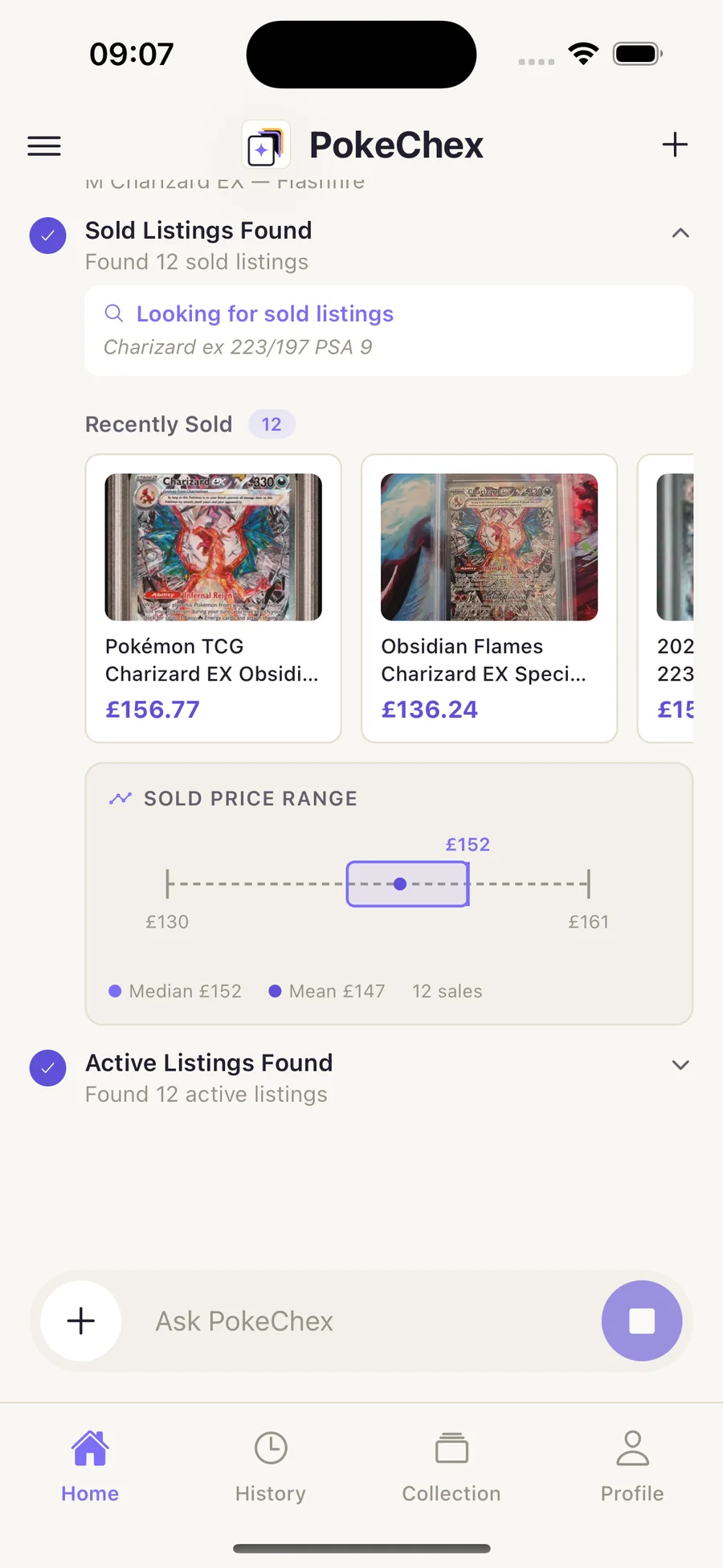
Agent Scan
Max users can run deeper sold-listing analysis for cards where condition, recency, and market spread matter.
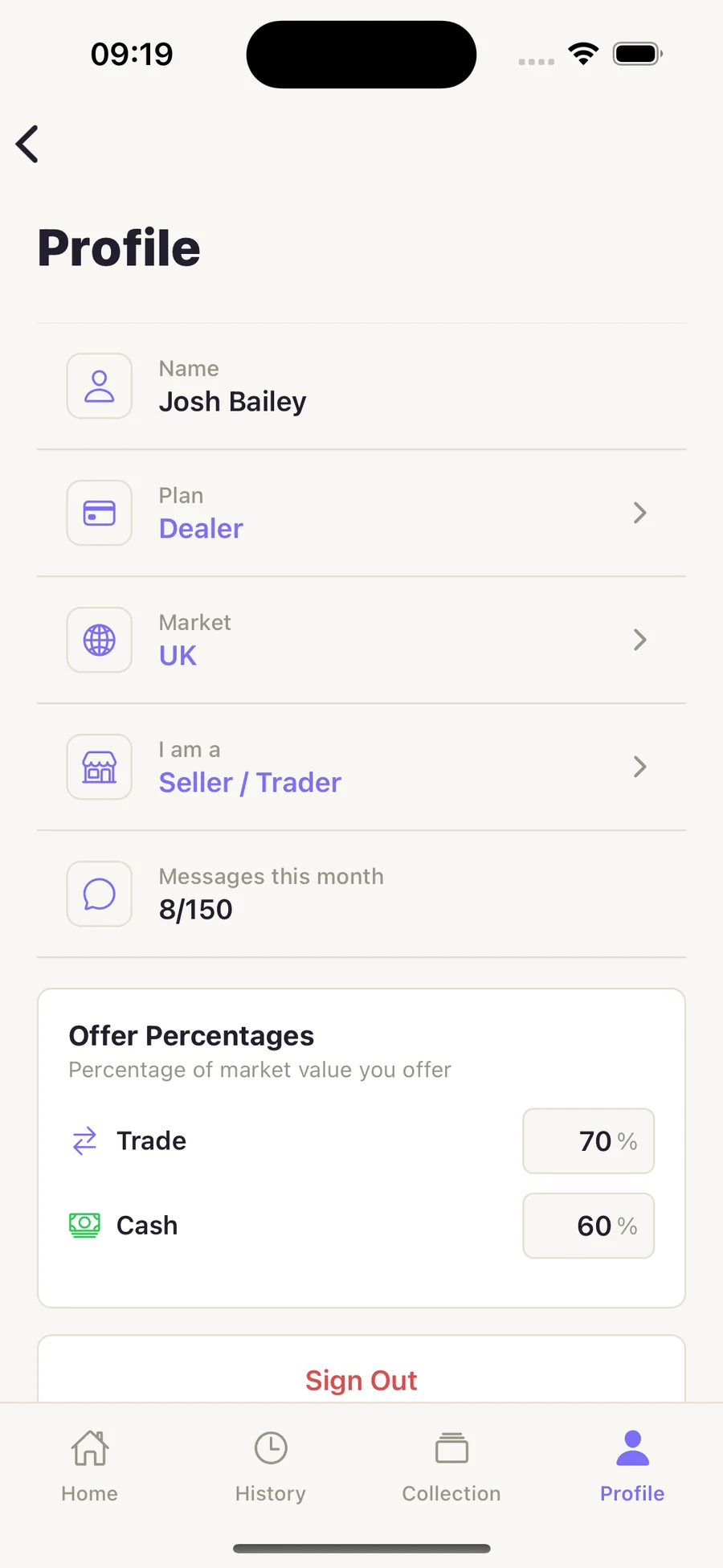
Collection tools
Profiles, offer percentages, and collection context help PokeChex feel useful for collectors, traders, and shop workflows.
Built for the table
Collectors, traders, and vendors reach for PokeChex at the same moment — when there are cards in front of them and a decision to make.
Track your collection with AI scanning and live values — then search real shops' stock, reserve cards, and sell to buylists.
Bring a clear second opinion into trade talks — and turn spare cards into cash or credit at buylist shops.
A full inventory system in the browser: CSV and photo imports, auto-repricing, reservations, buylist, and a sales ledger.
Join the private beta for Quick Scan, image matches, segmentation, Chex reports, and Agent Scan.